
How to Order SLS 3D Printing Online: From File to Binding Quote
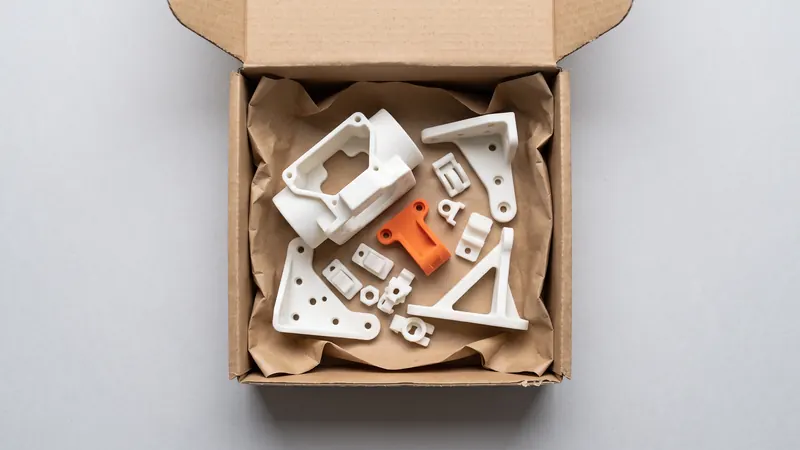
Ordering 3D printed parts online should not take a week of e-mails. At SLS Market you upload STEP or STL files, see the price of every part in seconds and send the order for confirmation. This guide walks through each step, explains what the settings mean, how to order many parts at once and what still goes through the contact form.
The order in eight steps
| Step | What you do | What happens |
|---|---|---|
| 1. Prepare files | Export STEP or STL from your CAD | STEP keeps its units; STL is read in millimeters |
| 2. Upload | Drop one or more files into the calculator | Each file is analyzed in your browser and split into parts |
| 3. Sign in | E-mail code, company details once | Prices appear for every part |
| 4. Configure | Layer plane, finish, color, quantity per part | The price updates at once |
| 5. Delivery speed | Express, Standard or Economy | Price and lead time of the whole order change together |
| 6. Check the review | Read the design review of each part | Warnings about thin walls, trapped powder or chamber fit |
| 7. Request a binding quote | One click in the order preview | The original files are uploaded and saved with the request |
| 8. Confirmation | Wait for our reply | We check the files and send the binding quote |
Step 1: prepare the files
We accept STEP (.step, .stp) and STL (.stl) files up to 100 MB each. STEP is the better choice when you have it: it carries its own unit and exact geometry. STL is a mesh without units; the calculator reads it in millimeters and offers a switch to inches for each file. A part that suddenly measures 25 times too small or too large almost always has the wrong unit. More in STEP vs STL and units, scale and multi-body files.
Check the mesh before you upload: open edges, flipped normals or overlapping shells can change the measured volume. See how to check and repair an STL.
Step 2: upload
Drop all files at once or add more later. The files are analyzed in your browser: volume, surface, size, whether the part fits the chamber of the EOS FORMIGA P 110 Velocis (200 × 250 × 330 mm nominal) and a design review. A file with several bodies is split into parts; identical bodies, including mirrored or rotated copies, are merged into one line with a quantity. Your files are uploaded to us only when you request a binding quote.
Step 3: sign in for prices
Prices are shown to signed-in business accounts. Signing in takes an e-mail address and a six-digit code sent to it; the first time you also enter your name, company, country and, optionally, your VAT ID. The account is free. After signing in, prices appear without uploading the files again. Your requested quotes are listed on the account page.
Step 4: configure each part
- Layer plane. PA 2200 is strongest within the layer plane (EOS: 48 MPa and 18 % elongation, compared with 42 MPa and 4 % across the layers). Choose the plane per part, or "Let us decide" and the calculator takes the cheapest orientation that fits.
- Finish. Every part is depowdered, glass-bead blasted and polished in a DyeMansion Powershot DUAL; this is included in the price. We do not offer chemical or vapor smoothing. More in SLS post-processing and surface finish.
- Color. Natural white or dyed in one of 61 colors. Black and orange are in stock and keep the normal lead time; the other 59 colors add about one month (20 working days) at the same price. See dyeing SLS parts.
- Quantity. Set it per part. The price per part falls with the size of the whole order, not with the count of one line alone.
Step 5: choose the delivery speed
The order preview shows three delivery levels side by side, each with its lead time and the order total: Express goes next in the queue, Standard is the list price, and Economy waits until a print job is full and costs less. The level applies to the whole order. A color that is not in stock adds its extra time to every level.
Step 6: read the design review
Each part shows a design review. It warns about walls thinner than 0.8 mm, about enclosed cavities that would trap powder (they need escape holes; see hollow parts and escape holes) and about parts that fit the chamber only tilted or not at all. A warning does not stop the order, but it is cheaper to fix the CAD now than to receive a part that does not work. The general rules are in our SLS design guidelines.
Step 7 and 8: request the binding quote
The prices in the calculator are indicative and exclude VAT. When everything is set, click "Request a binding quote" in the order preview. The original files are uploaded, checked against their fingerprints and saved with the request in your account, so we print exactly what you uploaded. We check the files and reply with the binding quote by e-mail.
Ordering many parts at once
- Put everything into one order. Above a certain total volume of parts in one order, a volume discount on printing applies and grows with the order. One order of 30 parts reaches a higher discount than three orders of 10.
- Use multi-body files or many files. Both work; identical bodies become one line with a quantity.
- Economy for flexible dates. Large, non-urgent orders are the natural fit for the Economy level.
- Plan reorders. Your requested quotes stay in the account, so a repeat order starts from the same files. For regular production, see small-batch production with SLS.
Want to know what drives the price before you design? Read how much SLS 3D printing costs.
What the calculator does not cover
The calculator prices white Nylon PA 12 with the finish described above. Write to us through the contact form for other materials or technologies, an NDA before you share files, or a large series. If you do not have a CAD model yet and need a part designed or developed, the engineers at prototype.builders can do it with you.
Frequently asked questions
How do I order 3D printed parts online?
Upload STEP or STL files to the calculator, choose the layer plane, finish, color and quantity for each part, pick a delivery speed and request a binding quote. We check the files and reply with the binding quote.
Do I need an account to see prices?
Yes. The geometry analysis works without an account, but prices are shown after you sign in with a free business account: an e-mail code and your company details, once.
Which file formats can I upload?
STEP (.step, .stp) and STL (.stl), up to 100 MB per file. STEP carries its own units; STL is read in millimeters, with a switch to inches per file.
How do I order many parts at once?
Upload all files together and set the quantity per part. Identical bodies in one file are counted as a quantity automatically. Above a certain total volume of parts in one order, a volume discount on printing applies and grows with the order.
What if I need another material or an NDA?
The calculator prices white PA 12 with blasting and polishing and optional dyeing. For other materials or technologies, an NDA or a large series, write to us through the contact form.
Get an instant price
Upload STEP or STL files to the calculator and see the price of your parts in seconds: white Nylon PA 12, blasting and polishing included, optional dyeing in 61 colors, three delivery speeds. From there you send the order preview for confirmation.
Another material, an NDA or a large series? Write to us. For design help and prototype development see prototype.builders.
Get an instant price